메인콘텐츠
BIM
BIM

What is CADEWA ?
3D- Based MEP Dedicated CAD (Equipment / Electrical / Air-Conditioning / Firefighting), which is available MEP design, quantity calculation, 3D interference & construction review, and SHOP drawing creation at once.
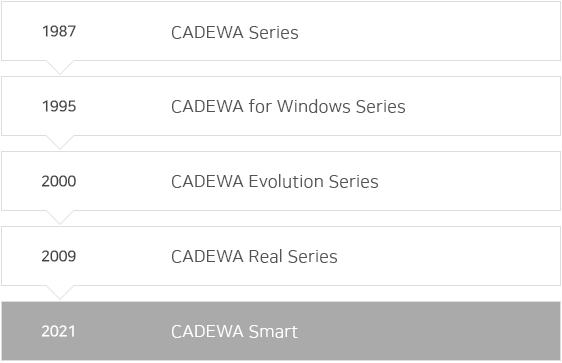
CADEWA, which has a 35 year history of development, possesses 30,000 users in Japan, was introduced Korea as CADEWA Real in 2017 and is being released with upgraded as CADEWA Smart in 2021.
Cadewa Smart Features Details
SMART: Risk Minimization
-
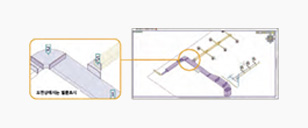
- Construction Check
- t can check the wrong parts and wrong construction (wrong construction method) in batches from drawings for a total of 62 items, including distance between speakers, detectors & diffusers, piping gradients, straight pile length. Not only it does not occur modifications, but also can create good quality drawings.
- * 62 Items: Distance between speakers, Detector & Diffuser, LAN Cable Longest Length, Root Gap, Other Use Connection, Duct Curvature, Hopper Expansion & Reduction Angle, Duct Curve on Blower Discharge Side, Installation Position of Air Control Equipment, Exhaust Gas Installation Direction, Smoke Prevention Damper Hanger, Right Angle Expansion Pipe Gradient, Double Fast Junction, Straight Pipe Length, Drain Main Pipe Connection, Floor & Cleaning Check Installation Direction
-
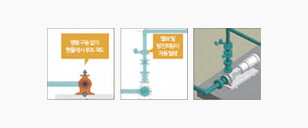
- Required Subsidiary Materials Automatic Creation
- Root drawing is available on the handle without command drive, and automatic drawing of subsidiary materials (valve and dust-proof fitting) required for the pump is also supported to prevent omission as well as high speed.
-
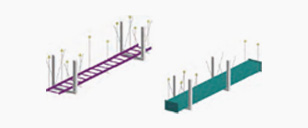
- Dust-proof Automatic Generation
- Draw the hanger metal to the seismic standards at the same time as the insert drawing
-
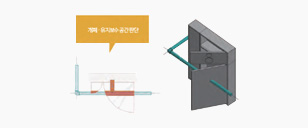
- High Precision Interference Check
- High-precision interference check is available by determining the closed area and opening space of subsidiary materials. It also can check added heat reserving materials, such as careful ventilation and piping of nearby subsidiary materials.
FAST: Modeling & Working Time Reduction
-
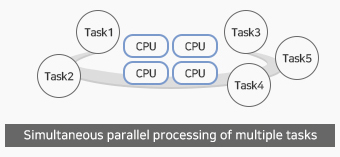
- Multi Slat
- Parallel-processing for multiple tasks on CAD is possible with [Multi Slat] installation.
-
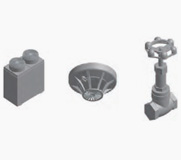
- High-capacity Data Processing
- Light handling has been realized with high-precision subsidiary materials representation
-
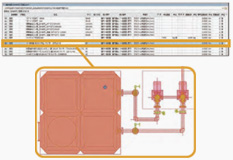
- Real-time Material Aggregation
- In the drawings and edited drawings, the quantity of subside materials can be identified in real time, and the quantity and capacity can be reviewed.
- * The selected subside materials on the list is highlighted on the drawing.
EASY: Easy & Convenient Interface & Its Usage
-
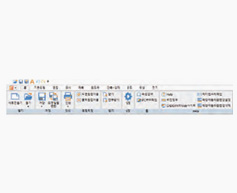
- Ribbon Interface
- Intuitive command selection better than previous series by ribboning user interface and integrating command.
-
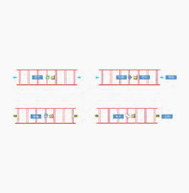
- Handle Manipulation
- Direct drawing and editing on the handle manipulation is available. It can change the handle type each time when pressing [Space key].
-
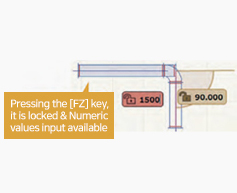
- Snap Function
- In case of drawing the root, guides including length and angle are always displayed, and also can designate it through numerical input.
-
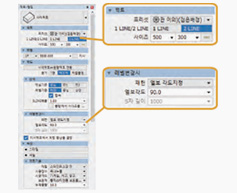
- Attribute
- In case of drawing the root, guides including length and angle are always displayed, and also can designate it through numerical input.